When keeping it all in your head starts costing money
- Costs are scattered across chats, receipts and notes on your phone.
- Bought in euro, repaired in hryvnia, sold in dollars — and the real profit is anyone’s guess.
- The spreadsheet is thirty columns wide and every new car breaks a formula.
- A client asks what you have in stock, and you spend half an hour forwarding photos one by one.
- At the end of the month you cannot tell how much is tied up and how much you have actually earned.
CheckEngine takes it off your hands
You add the car and enter each cost in the currency you actually paid in. CheckEngine converts everything at National Bank of Ukraine rates, works out the cost price and the profit, and shows how much money is tied up and how much you have already made.
Start keeping trackEverything the car trade actually needs
No modules you will never open — only what you will use every day.
Three states for every car
In stock, in transit and sold are separate sections, so you always know what is on the lot, what is still on its way, and what has already made money.
Multi-currency costs
Enter every cost in its own currency: the auction in dollars, shipping in euro, customs and the garage in hryvnia. Conversion happens on its own.
Analytics and a profit chart
Profit by month and by year on a chart you can read at a glance. See how much is tied up in cars, what income is expected, and your overall net worth.
A public list for clients
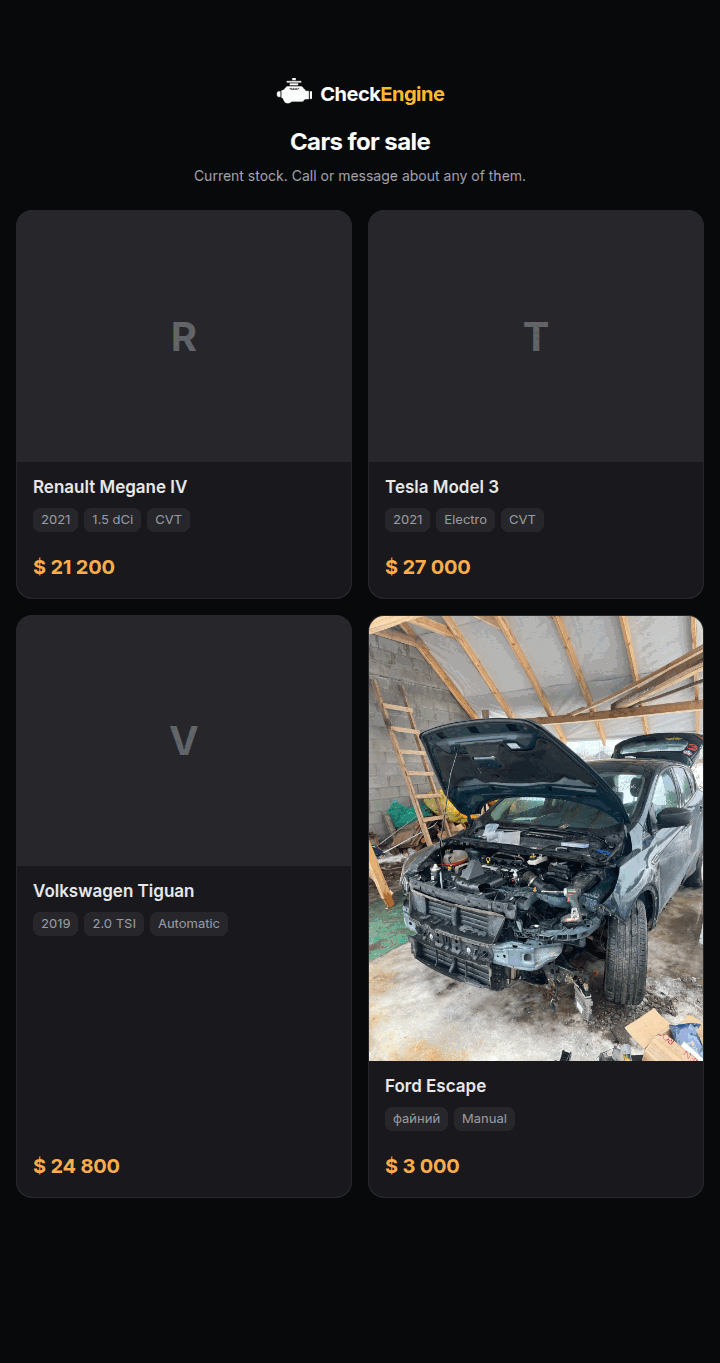
One link with your selection of cars: photo, year, engine, gearbox and price. Send it to a client in a messenger — they need no account.
Deal drafts
Cost a car before you buy it: put in the price and the expected outlay and see the margin. If it works, one tap turns the draft into a car in transit.
Always to hand
CheckEngine installs on your phone as an app — add costs on the lot or at the garage, not from memory in the evening.
Car recognition from a photo
Photograph the car as you add it and Gemini works out the make, model, year, engine and gearbox. A photo never fills in prices or costs.
AI fault diagnostics
Photograph the scanner screen, the damage or the check-engine light — or record the engine — and get the likely fault, a parts list and an approximate repair cost in hryvnia.
Dealer rating and rank
Six playful levels, from Rookie to Legend, rising with the cars you sell or the money you make — whichever is closer to the next rank.
Check a car by its VIN
Photograph the VIN plate or type the number and get the year, plant and manufacturer from a government decoder, the risks of that particular car, what to inspect and what it costs. The report goes to your customer as a link.
What landed most recently
A VIN check, two Gemini-powered features and a playful dealer rank — all of it already live in the app.
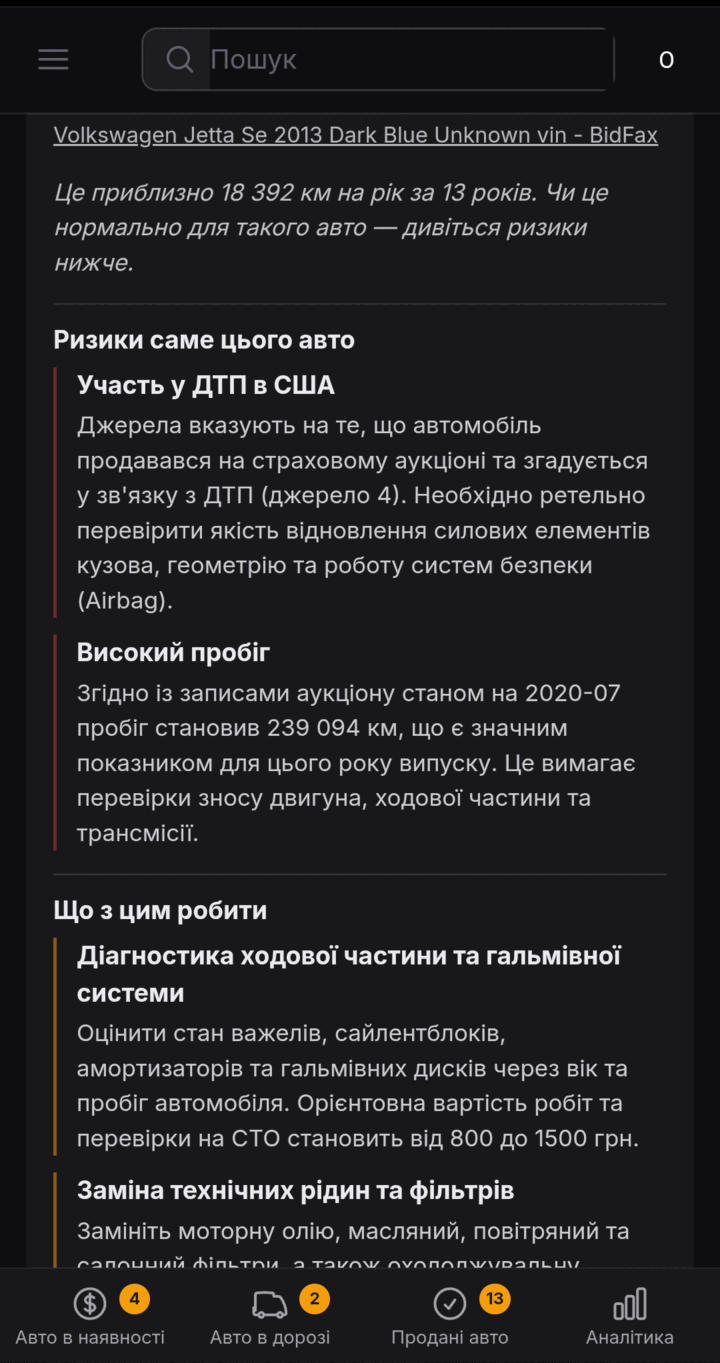
A VIN in the yard → a report on the car
Photograph the VIN plate, a number stamped into the body or a door-jamb sticker — or just paste the number out of the message the seller sent. CheckEngine verifies the check digit, pulls the make, model, year, engine and plant from the NHTSA decoder and the Ukrainian register, looks for traces of the car at auction, and comes back with the risks of that particular vehicle, what to inspect and roughly what it costs.
- Typing the number is free and instant — no AI call at all.
- A wound-back odometer is worked out arithmetically from dated readings, not spotted by a model.
- The report goes to your customer as a link — without your costs, duty or VAT.
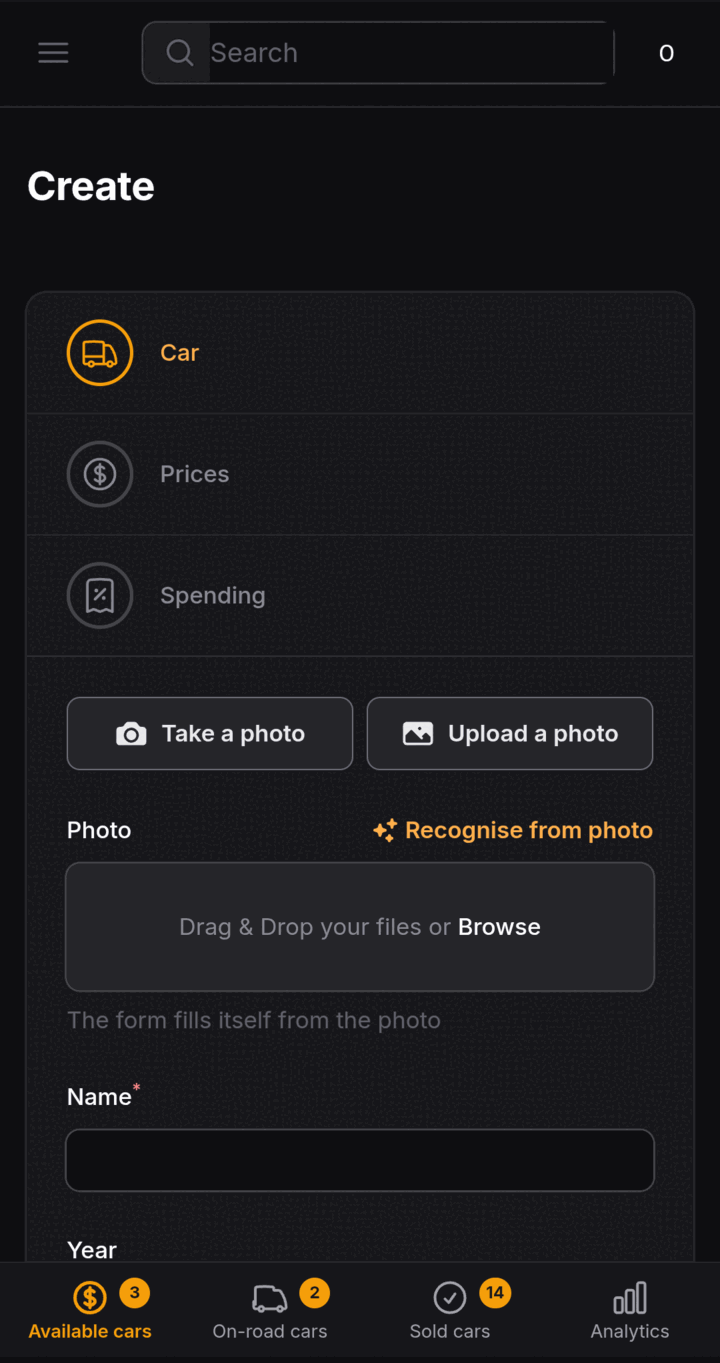
A photo instead of typing
When you add a car, take or upload a photo — CheckEngine sends it to Gemini, which works out the make, model, year, engine and gearbox and fills them into the form. A field you have already filled in yourself is never overwritten.
- It works inside the create wizard — there is nothing extra to install.
- A photo never touches price, costs, profit or the car’s status.
- If it misses, or you want another go, just take the photo again.
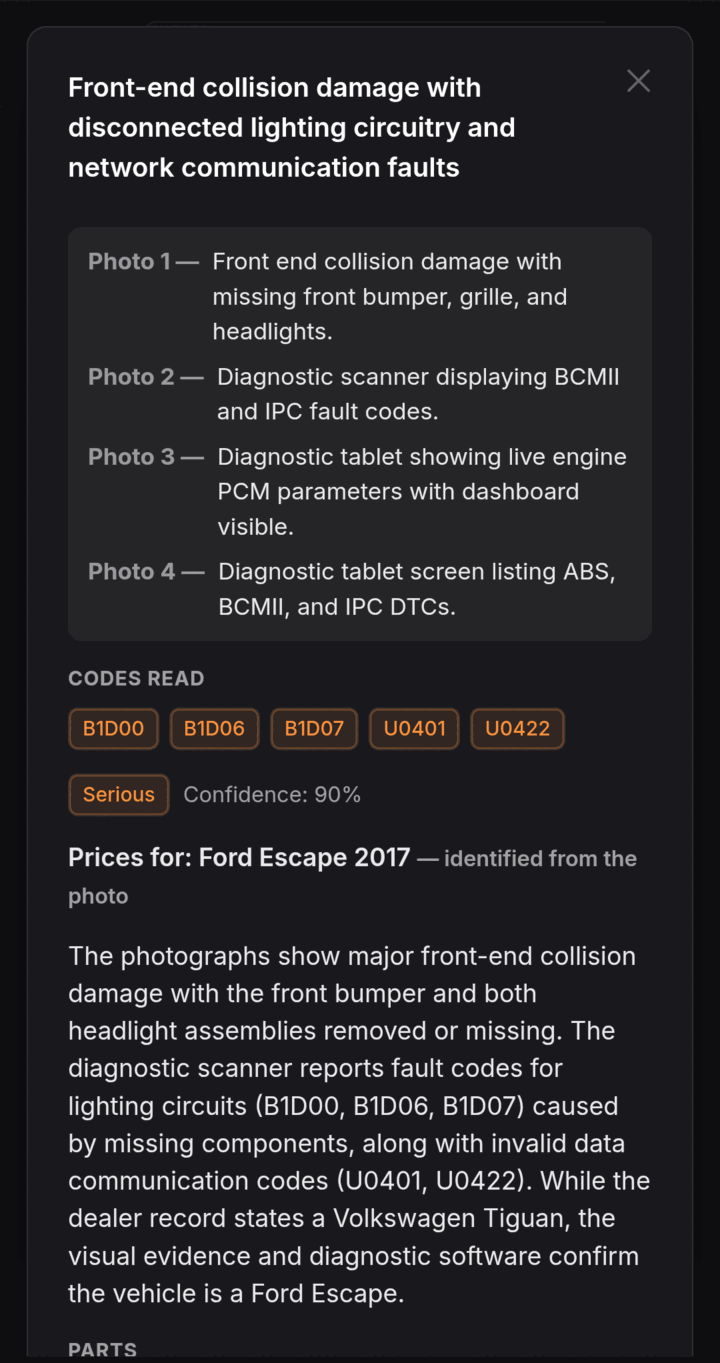
A photo of the fault → an approximate repair cost
Photograph the OBD scanner screen, the body damage or the check-engine light on the dash — up to four photos at a time — or record the engine. CheckEngine comes back with the likely fault and a list of parts and labour with a price range in hryvnia.
- The codes read off the photo are listed separately, so a misread is easy to spot.
- Every spending line is ticked by hand — nothing reaches your books without your say-so.
- It is an AI estimate, not a garage invoice — only a mechanic can give a real diagnosis.
A dealer rank with a personality
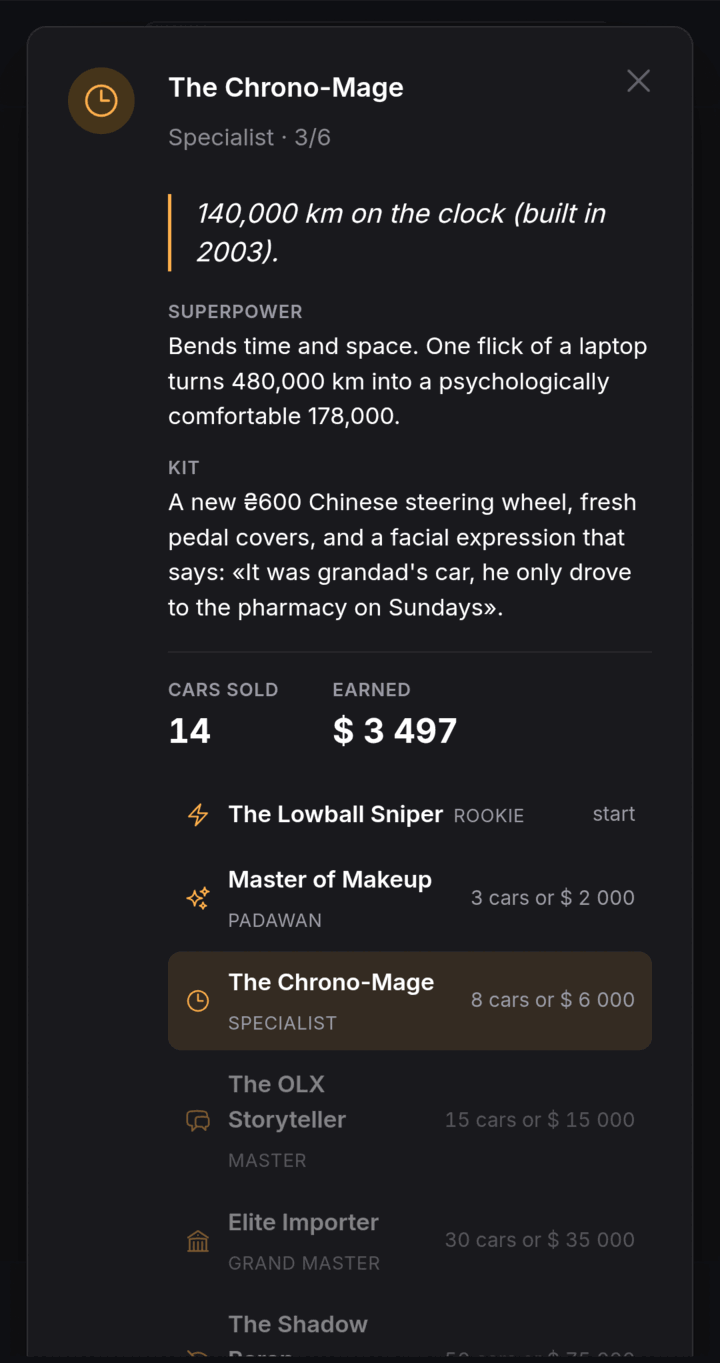
Six levels, from The Lowball Sniper (Rookie) to The Shadow Baron (Legend). It counts cars sold or money earned — whichever route you are further along — so no way of working is left without progress.
- You can see how many cars, or how many dollars, are left to the next rank.
- Every rank has its own motto, superpower and favourite lines.
- It sits above every car list — there is nothing extra to open.
One link instead of ten photos in a messenger
The only screen in CheckEngine somebody without an account ever opens.
Tick the cars, send the link
Pick the cars you want to offer, press Share, and you get a short link to paste into Viber, Telegram or a message. It opens as a clean page with photo, year, engine, gearbox and price — no sign-up at the other end, no app to install, and nothing for the client to work out.
- You choose what goes in it. A car you have not ticked is not on the page.
- Your cost price, your expenses and your profit are never in it — only what a buyer sees.
- The link stays live: sell a car, untick it, and the same link is up to date.
How it works
From your first car to analytics you can read — minutes, not an evening with a calculator.
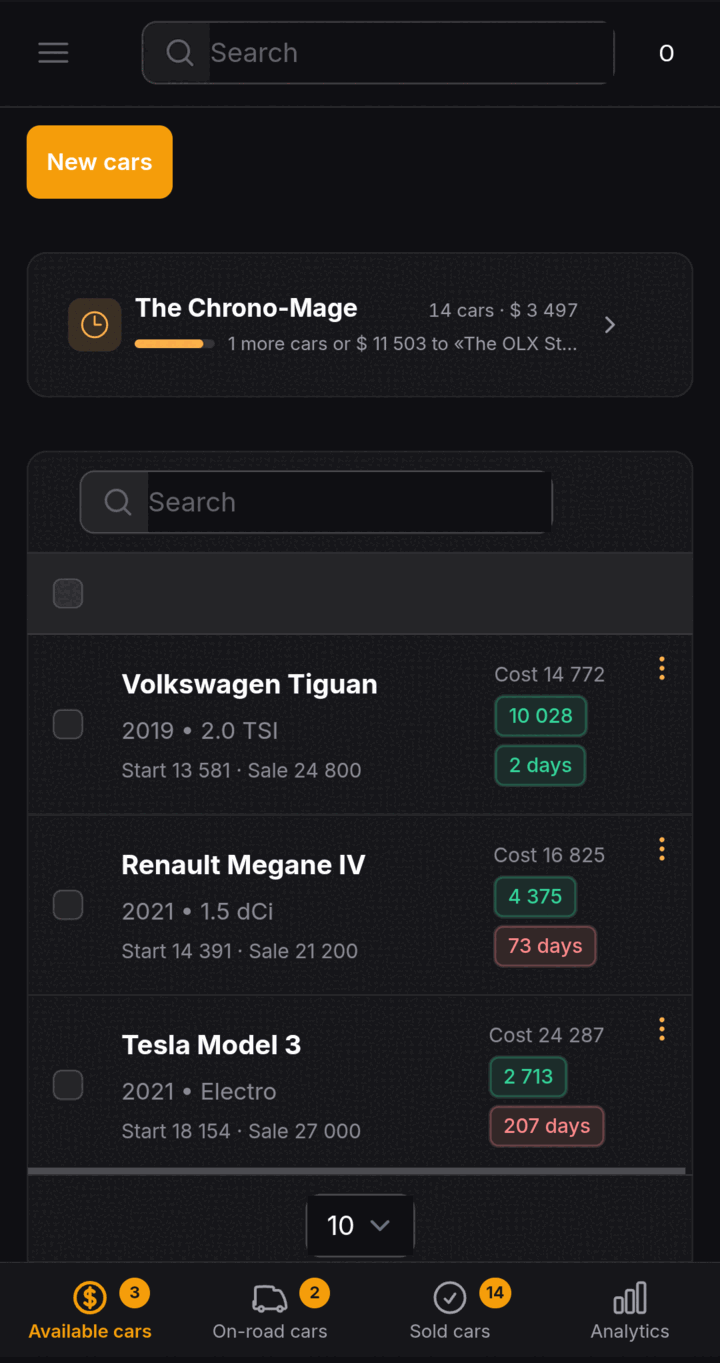
Managing cars
Add a car: photo, name, year, engine, gearbox, starting price and notes. Simple records instead of a dozen spreadsheets.
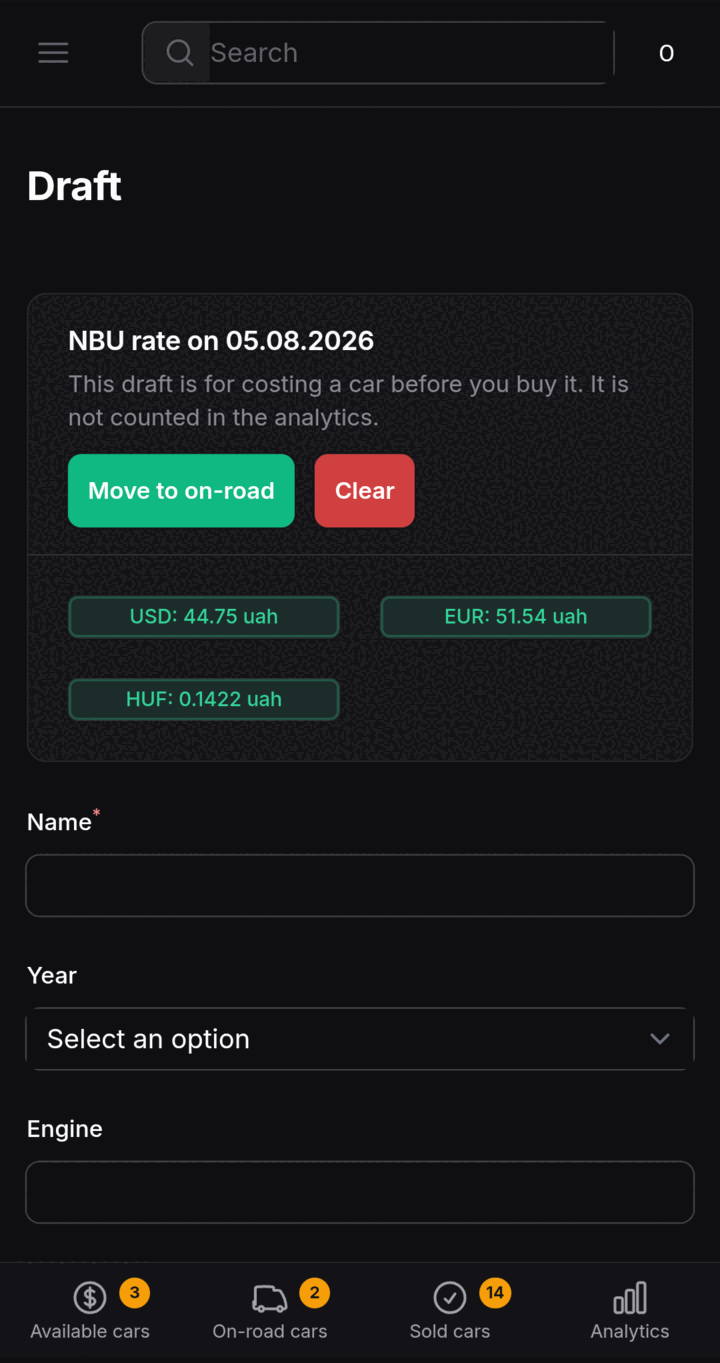
Straightforward costing
Enter costs as a list in any currency — automatic conversion at NBU rates shows the cost price straight away.
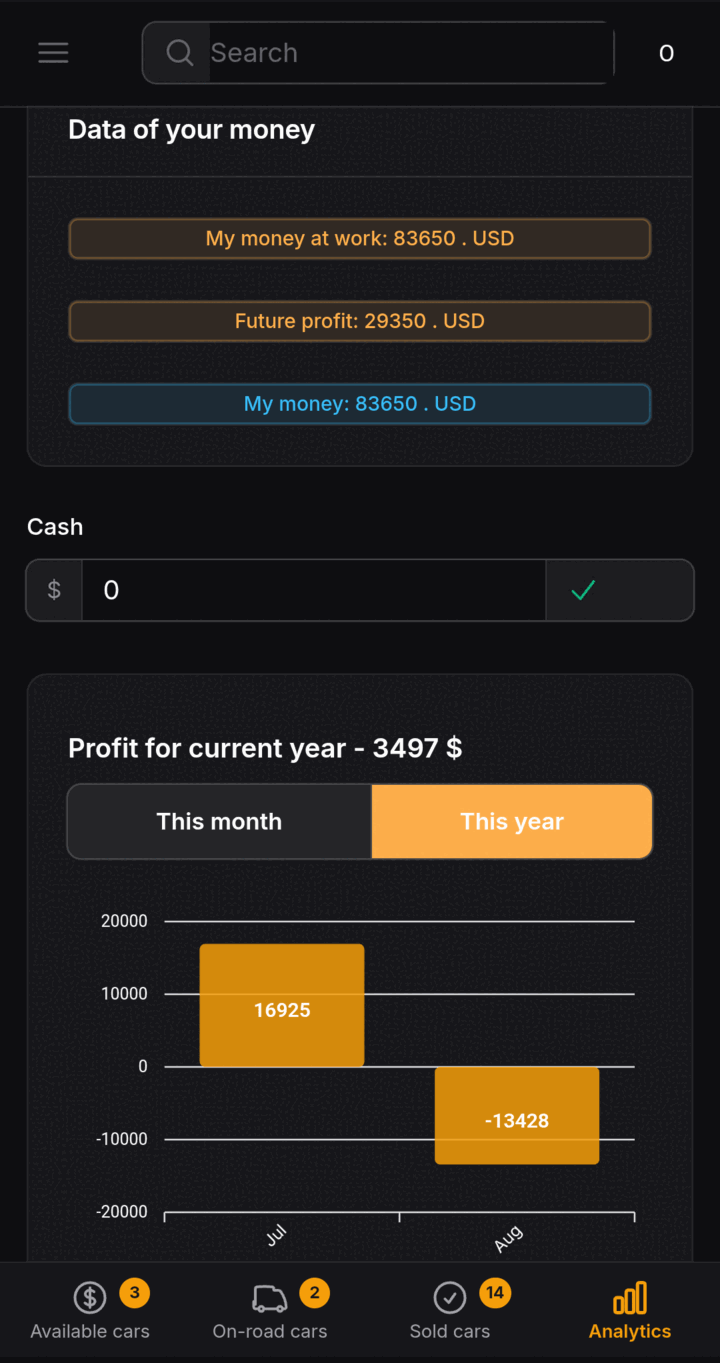
Analytics
Follow where your money is, your profit and your net worth: what is tied up, what is expected, and what you earned this month or this year.
Three currencies, and you pick them
A car is bought in one currency, shipped in another and sold in a third — and that is usually where the real profit gets lost. CheckEngine pulls current rates from the public API of the National Bank of Ukraine and brings it all down to figures you can read.
- The starting price, every cost and the sale price each in their own currency.
- NBU rates are fetched automatically; there is nothing to work out by hand.
- Cost price and profit are calculated without a formula of yours in a spreadsheet.
- The three currencies you work in are chosen in your profile — not only dollar, euro and hryvnia.
- Totals come out in your reporting currency, one of those three, so deals can be compared with each other.
- The currency the rates are quoted in is a separate choice — a way of looking, it recalculates nothing.
One deal, worked through
* Figures are for illustration. In the app the total is calculated at the current NBU rate.
Who CheckEngine saves time for
Importers
You brought a car in and want to know exactly what you made after every cost and every exchange-rate swing.
Car lots
Dozens of cars in different states at once, and the full picture on each without digging through chats.
Customs brokers
A clear breakdown of costs for every car — one you are happy to show the client.
Private sellers
One or two cars a year is still worth costing — so you do not sell at a loss.
What users say
"This service has been a game changer for my business"
car trader
"I am impressed by what the analytics and costing can do"
customs broker
"First a notepad, then a spreadsheet, now it is all in CheckEngine!"
car importer
Frequently asked questions
Do I need to install anything on my computer?
Where do the exchange rates come from?
Can anyone else see my cars and my figures?
What do the analytics show?
Can I cost a car before buying it?
Does a photo fill in the car record automatically?
Can a fault be identified from a photo?
What is the dealer rating?
Does the VIN check work for motorcycles and tractors?
Where does the VIN history come from?
I use a spreadsheet. Why change?
Work out what you actually made
Add your first car today and see your business in figures instead of guesses.
Try CheckEngine